Sales Pipeline Tracking Tools for a 20-Person Team
Outgrown spreadsheets? Learn what sales pipeline tracking tools should do for a 20-person team, how to choose one, and how to switch without chaos.

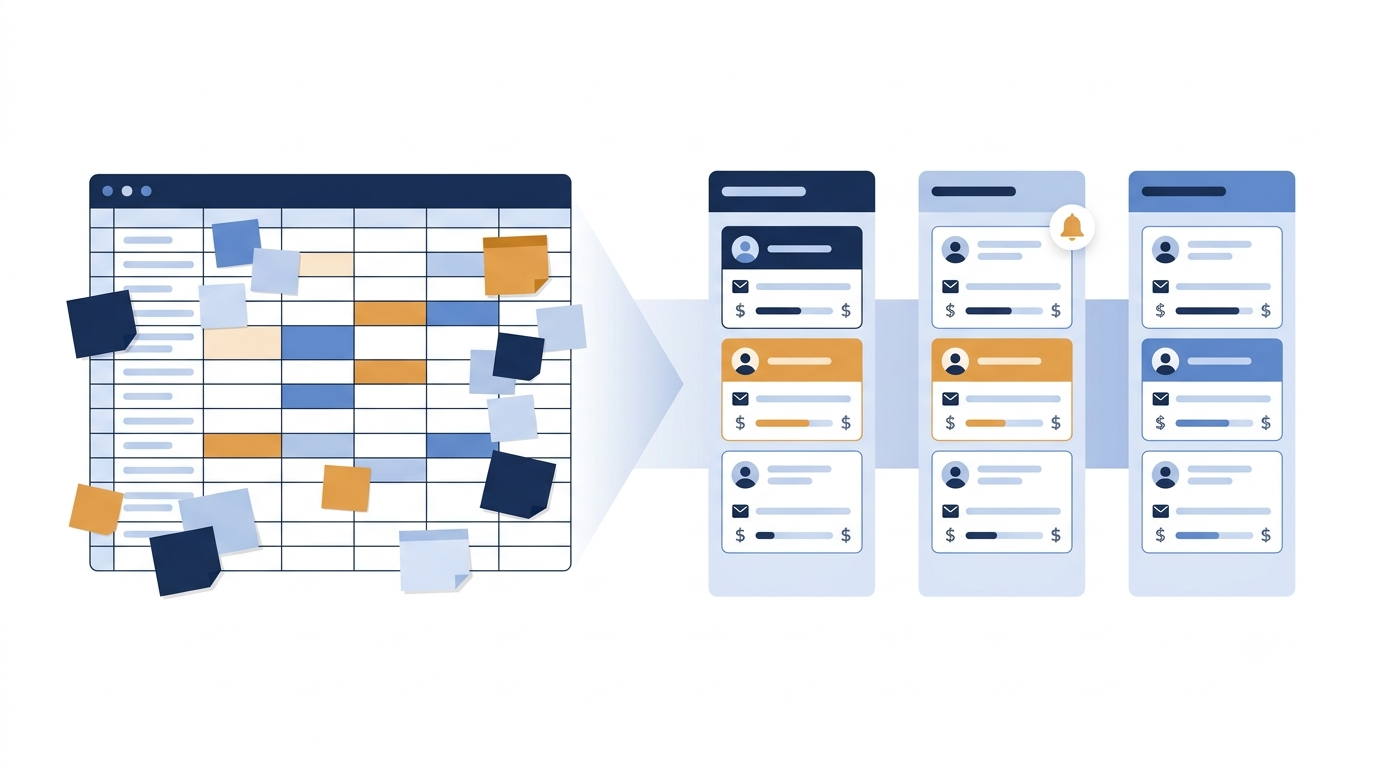
If your 20-person company has outgrown spreadsheets, the best sales pipeline tracking tools are CRMs built around a visual pipeline, lead assignment and follow-up reminders. A spreadsheet stores data. A pipeline tool tells people what to do next. This guide explains what to look for and how to switch without chaos.
Why spreadsheets stop working at 20 people
A shared sheet works well when two or three people sell. At 20, the cracks show up fast.
Edits collide. Two people update the same row and one change is lost.
Nobody owns a lead. Without clear assignment, leads sit untouched or get called twice.
Follow-ups depend on memory. A sheet never reminds anyone to call back on Thursday.
Stages are vague. One person writes "interested", another writes "warm". You cannot count either.
Reports take hours. The manager builds a summary by hand every week.
If several of these sound familiar, read our post on the 5 signs you need a CRM for a fuller checklist.
What sales pipeline tracking tools should do
Features vary, but a tool for a team of 20 should cover the basics below. Skip anything that adds work without helping your team sell.
1. Show a clear pipeline
Every lead should sit in one stage, such as New, Contacted, Site Visit, Negotiation, Won or Lost. You should see how many leads are in each stage at a glance.
2. Capture leads automatically
Leads arrive from website forms, landing pages and campaigns. Typing them into a sheet by hand is slow and causes errors. Look for a tool that brings them in on its own.
3. Assign leads to the right person
Each new lead needs one owner, right away. This is where most small teams lose enquiries. Check that you can assign leads to team members and see who is handling what.
4. Remind people to follow up
Most sales are lost to silence, not to a "no". Reminders turn follow-up from a habit into a system.
5. Track calls and activity
Your manager should be able to see which calls happened and what was said, without asking each person.
6. Work on a phone
Many Indian sales teams work in the field or on mobile. A mobile app means updates happen right after the call, not at the end of the day.
7. Give you simple analytics
You need to know where leads come from, how many convert and where they drop off. Simple reports beat complicated dashboards nobody opens.
Types of tools to consider
TypeGood forWatch out forImproved spreadsheet with forms and scriptsVery small, short-term fixesStill no reminders or ownership; breaks as volume growsProject or task boardsTeams that already use them for workNot built for leads, calls or conversion reportsLarge all-in-one CRM suitesBig teams with many departmentsMany features you will not use; slow to set upFocused lead management CRMTeams that need to capture, assign and follow up leadsCheck it fits how your business sells
For a company of 20 people, a focused lead management CRM is usually the sweet spot. It is quicker to roll out and easier for the team to adopt. Our guide to the best CRM for small businesses goes deeper into comparing options.
How to choose: a simple checklist
List your stages. Write down the steps a lead goes through in your business. Your tool must match them.
Count your lead sources. Forms, ads, walk-ins, referrals. Make sure each can reach the tool.
Ask your team. The people who sell every day must find it easy. If they avoid it, the data will be empty.
Check the mobile app. Try logging a call from a phone.
Look at the total cost. Confirm pricing per user and any limits on the vendor's own website before you decide.
Run a trial. Test with real leads for a week or two.
How to move from spreadsheet to pipeline tool
Clean your sheet first
Remove duplicates, fix phone numbers and agree on one list of stages. Messy data in means messy data out.
Import your active leads
You do not need years of history. Start with leads that are still open or worth contacting again.
Set the rules
Decide who gets which lead, how fast they must call and what each stage means. Write it on one page.
Start with a small group
Let a few people use it for a week, fix what is confusing, then bring in everyone. Retire the old sheet on a fixed date so people do not use both.
Review weekly
Spend 15 minutes each week looking at the pipeline together. Which leads are stuck? Who needs help? This habit is where the value shows up.
Common mistakes when switching
Buying for features, not habits
A long feature list looks impressive in a demo. But a tool your team ignores is worse than a simple sheet. Pick the one people will actually open every morning.
Too many stages
Ten pipeline stages sound precise, but they confuse people. Five or six clear stages are easier to keep accurate.
No owner for the system
Name one person, often the sales manager, who checks that leads are assigned, stages are updated and reminders are done. Without an owner, the new tool slowly turns into the old sheet.
Skipping training
Give the team a short walkthrough and one page of rules. Thirty minutes of training saves weeks of confusion.
Metrics worth watching once the pipeline is live
Leads by source: which channels bring enquiries that turn into sales.
Time to first contact: how quickly a new lead gets a call.
Leads per stage: where deals pile up.
Follow-ups done on time: whether reminders are being acted on.
Conversion by team member: who may need coaching, and who has a method worth sharing.
Start with these five. You can add more once the team trusts the numbers.
Where LeadGo fits
LeadGo is a lead management CRM for small and medium businesses in India. It captures leads from forms and websites, assigns them to team members, reminds the team to follow up, and tracks the sales pipeline and calls. It also has analytics and a mobile app. It suits teams in real estate, education and coaching, insurance, clinics, agencies and local services.
FAQs
When should a company move from a spreadsheet to a CRM?
When leads get missed, ownership is unclear, or reporting takes hours. For many teams this happens once several people sell at the same time, well before 20.
Can a team of 20 manage with Google Sheets?
For a while, with strict rules. But sheets do not remind people to follow up or assign leads on their own, so effort and errors grow with every new salesperson.
What is the difference between a sales pipeline and a lead list?
A lead list is a record of people. A pipeline shows where each lead is in the sales process, so you can see what is stuck and what is close to closing.
Do I need a mobile app for pipeline tracking?
If your team calls or visits clients outside the office, yes. Updating a lead right after a call keeps your data accurate.
How long does it take to switch?
A clean import and a small pilot can be done within a few days to a couple of weeks, depending on how tidy your data is.
Ready to move your pipeline out of the spreadsheet? Try LeadGo and see every lead, owner and follow-up in one place.