Best CRM for Small Businesses: How to Choose the Right One in 2026
The best CRM for small businesses is the one your team will actually use. Here is what to look for, which options to compare, and how to decide.

Finding the best CRM for small businesses is less about picking the software with the longest feature list and more about choosing the one your team will actually use every day. A CRM that is too complex sits unused. One that is too basic gets outgrown within a year. The right choice sits in between: simple enough to adopt quickly, capable enough to grow with you.
This guide explains what a small business CRM should do, which features matter most, how popular options compare in general terms, and a simple process for making your decision.
What Is a CRM, and Why Do Small Businesses Need One?
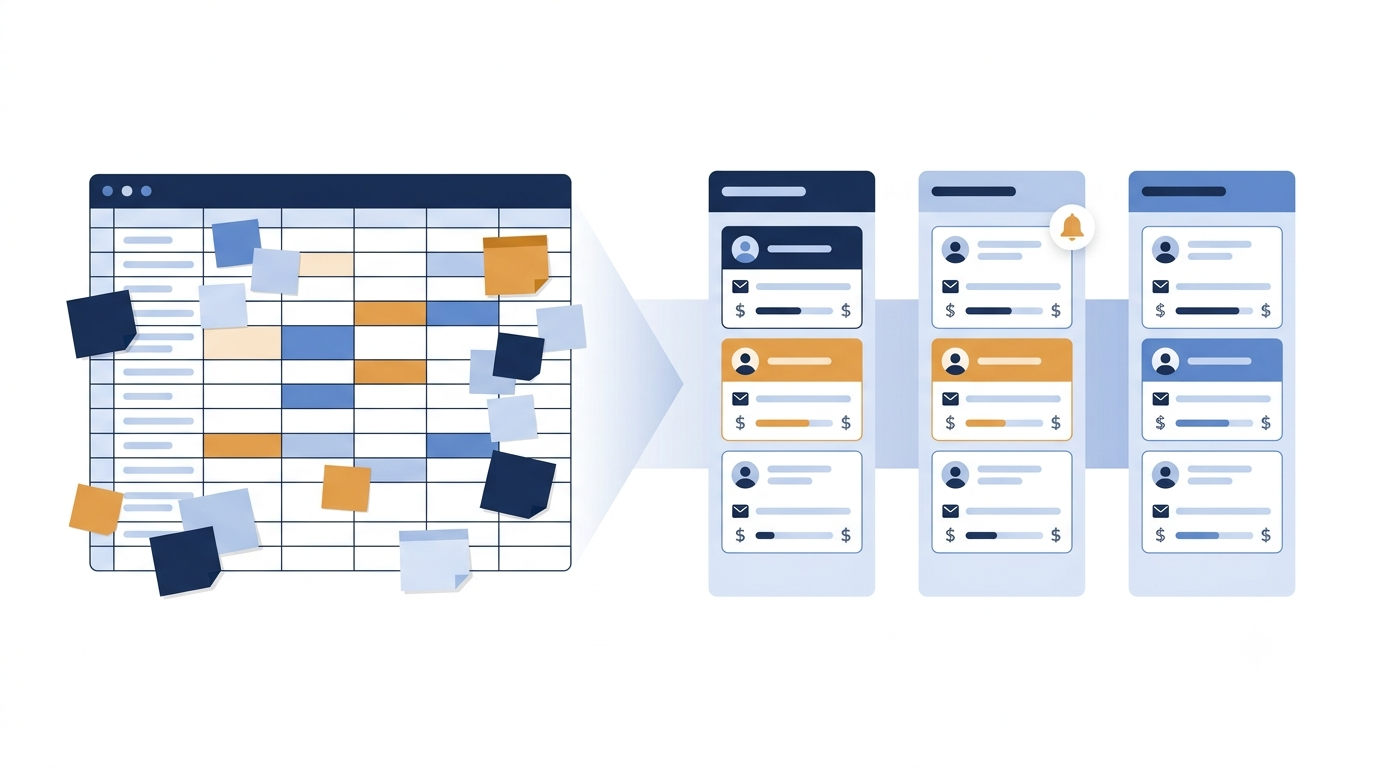
A Customer Relationship Management (CRM) system is software that stores your contacts, tracks every conversation, and shows where each potential customer stands in your sales process. Instead of leads living in spreadsheets, inboxes, and memory, everything sits in one shared place.
For a small business, the benefits are practical:
Fewer missed follow-ups. Reminders ensure no lead is forgotten.
A clear view of sales. You can see how many deals are open and what stage each has reached.
Less manual work. Data entry, reporting, and repeat messages are reduced.
Continuity. Customer history stays with the business, not with one employee.
If you are still unsure whether you have reached this point, our guide on the signs you need a CRM can help you decide.
Do You Actually Need a CRM Yet?
Not every business needs one on day one. If you serve a handful of customers and remember every conversation, a spreadsheet may be enough for now. But if leads are arriving from several channels, more than one person handles customers, or you cannot say how many deals are in progress, a CRM will likely pay for itself quickly.
Key Features of the Best CRM for Small Businesses
Large enterprise platforms offer hundreds of features. Small teams need only a few, done well.
1. Simplicity and Easy Setup
If your team needs weeks of training, adoption will suffer. Look for a clean interface and a setup process measured in hours, not months. A good small business CRM feels familiar to anyone who has used a spreadsheet.
2. Lead and Pipeline Management
This is the core of any CRM. You should be able to see every lead, move it through defined stages, and assign it to a team member. A visual pipeline board makes the state of your sales clear at a glance.
3. Follow-Up Reminders and Tasks
Most lost sales come from forgotten follow-ups. Reminders and task lists turn good intentions into scheduled actions.
4. Contact History and Notes
Every call, message, and note should be stored against the customer. Anyone on the team should be able to pick up a conversation without asking the customer to repeat themselves.
5. Basic Reporting
Small teams do not need complex analytics, but they do need answers: how many leads came in, which source performed best, and how many deals were won. Look for dashboards that are readable without a data analyst.
6. Team Collaboration and Permissions
As your team grows, you will need to assign leads, control who sees what, and track activity. Role-based access protects sensitive data and keeps responsibilities clear.
7. Integrations
Check that the CRM connects with the tools you already use, such as email, calendars, messaging apps, and your website forms. Automatic lead capture saves hours of retyping.
8. Transparent, Scalable Pricing
Look for clear per-user pricing, a free trial, and plans that allow you to add features as you grow. Be cautious of long contracts and hidden add-on costs.
Popular CRM Options Worth Comparing
Several well-known CRMs serve small businesses, each with different strengths. The summary below is general; features and pricing change often, so always check each provider’s website for current details before deciding.
LeadGo: A simple CRM built for small and growing teams that want lead management, pipeline tracking, and follow-up reminders without a heavy setup. It offers a 14-day free trial so you can test it with your own data.
HubSpot CRM: Known for a generous free tier and strong marketing tools. It suits businesses that want sales and marketing in one place, though advanced features can become costly as you scale.
Zoho CRM: A flexible, feature-rich option with many customisation choices. Well suited to teams that want depth, though the range of options can feel overwhelming at first.
Pipedrive: Built around a visual sales pipeline and popular with sales-focused teams who want a straightforward, deal-centred view.
Freshsales: Offers a clean interface with built-in phone, email, and basic automation, aimed at growing small and mid-sized teams.
Salesforce (small business editions): Extremely powerful and widely used, but typically better suited to businesses that need deep customisation and have the resources to configure it.
Notice that no single option is best for everyone. The right answer depends on your team size, budget, and how you sell.
How to Choose: A Simple 5-Step Process
1. List your must-haves. Write down the three or four problems you most need to solve, such as follow-ups, visibility, or team collaboration. Ignore features you will not use.
2. Set a realistic budget. Calculate the cost per user per month, and consider how it changes as your team grows.
3. Shortlist two or three options. More than that leads to confusion. Choose tools that match your priorities and your size.
4. Test with real data. Use free trials and import a small sample of your actual leads. A demo with perfect sample data tells you very little.
5. Involve your team. The people who will use the CRM daily should help choose it. A tool they like gets used; a tool imposed on them gets ignored.
Common Mistakes When Choosing a Small Business CRM
Buying for features you will never use. Complexity is a cost, not a benefit.
Ignoring adoption. The best software is worthless if the team does not use it.
Skipping the trial. Always test before you commit.
Choosing on price alone. The cheapest option can cost more if it wastes your team’s time.
Not planning for growth. Check that you can add users and features without migrating to a new system.
Frequently Asked Questions
What is the best CRM for small businesses?
There is no single best option. The best CRM is the one that fits your team size, budget, and sales process, and that your team will use consistently. Shortlist two or three and test them with real data.
How much does a small business CRM cost?
Pricing varies widely, from free plans with limited features to paid plans charged per user per month. Always check current pricing on each provider’s website and consider how costs change as your team grows.
Can I use a free CRM?
Yes. Free plans can work well for very small teams or for testing the idea of a CRM. As your needs grow, you may need a paid plan for more users, reporting, or automation.
How long does it take to set up a CRM?
A simple CRM can be set up in a day, including importing your existing contacts from a spreadsheet. More complex systems can take weeks.
Can I move my spreadsheet data into a CRM?
Yes. Most CRMs let you import contacts and notes from a CSV or Excel file, so you do not lose your existing history.
Conclusion
The best CRM for small businesses is simple to adopt, covers the essentials of lead tracking, follow-ups, and reporting, and grows with your team without surprise costs. Start by defining what you need, shortlist a few options, and test them with your own data before deciding.
A good CRM should make selling easier, not add another chore. If a tool does that for your team, it is the right one.
This guide was written by the team behind LeadGo, a CRM built for growing businesses. Whichever tool you choose, we recommend comparing a few options against your own checklist before committing.